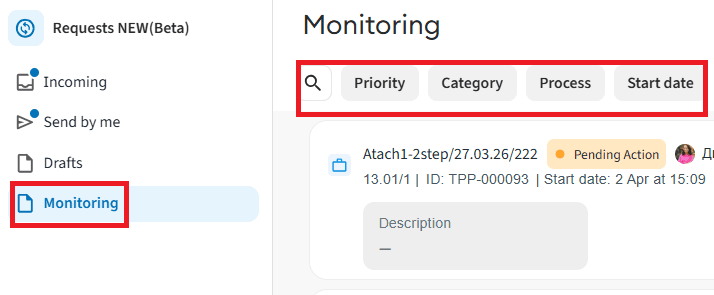
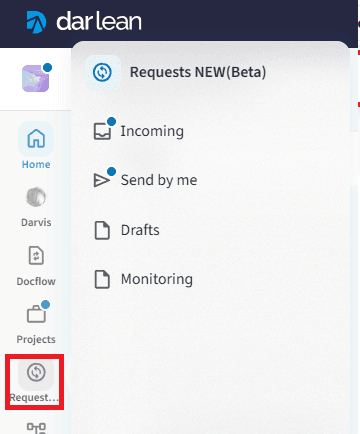
Navigate and Manage Sections
The "Requests" section is intended for working with requests in which the user is directly involved.
Each request is displayed as a card showing its key parameters: priority, current execution status, overall progress, deadline, initiator's name, as well as data from the first five fields of the request itself.
All requests are divided into four main tabs:
- Incoming — tasks that are currently awaiting approval by the current user.
- Sent by me — requests that the user initiated themselves.
- Drafts — requests saved by the user that have not yet been sent for approval.
- Monitoring — processes in which the user is assigned as an observer (has view access without the right to approve).
5.1 Incoming
The tab is intended for monitoring and processing tasks assigned to you.
- Display of requests: this section displays all requests that are currently awaiting your approval, as well as those requests that you have reviewed previously.
- Search: to quickly find the required card, enter its name, number, or a keyword in the "Search" field.
- List filtering: to narrow down the selection, choose the required values in the available filters:
- Priority — filtering by priority.
- Initiator — selection by one or several request initiators.
- Category — filtering by one or several process categories.
- Process — filtering by the type of processes.
- Start date — sorting by the exact date or period when the request was launched.
- Reviewed — a special filter to display only those requests that were reviewed previously.

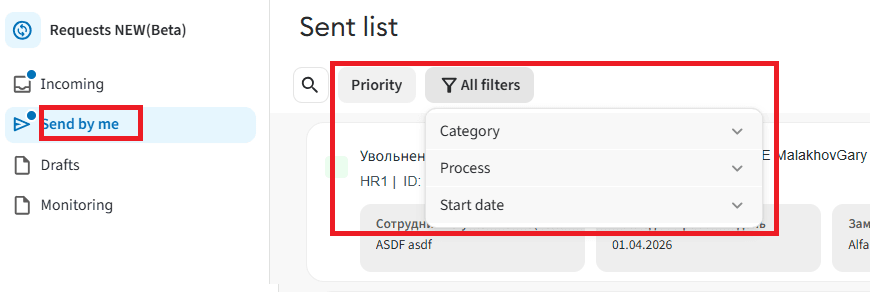
5.2 Sent by me
The tab allows tracking the progress stages and current status of launched requests.
- Display of requests: all requests that you created and successfully sent along the approval route are displayed here.
- Search: you can quickly find a sent document by entering a value in the "Search" field.
- List filtering: use the filter panel for easy navigation:
- Priority — filtering by the established priority.
- Category — sorting by one or several process categories.
- Process — filtering by the types of processes.
- Start date — filtering by the date or time period when the request was launched.
5.3 Monitoring
The tab is intended for viewing requests where you are an observer.
- Display of requests: this list displays cards of processes in which you have been assigned as an observer.
- Search: finding the required request is done via the standard "Search" field.
- List filtering: configure the card display using filters:
- Priority — filtering by priority.
- Category — selection by one or several categories.
- Process — filtering by the types of processes.
- Start date — sorting requests by the date they were launched into the system.